06Content: Home page and FAQ
Headline (the last word is set in the accent serif), intro text, search description, and the FAQ shown on the home and pricing pages (blocks separated by a blank line, first line = question; empty = the built-in FAQ).

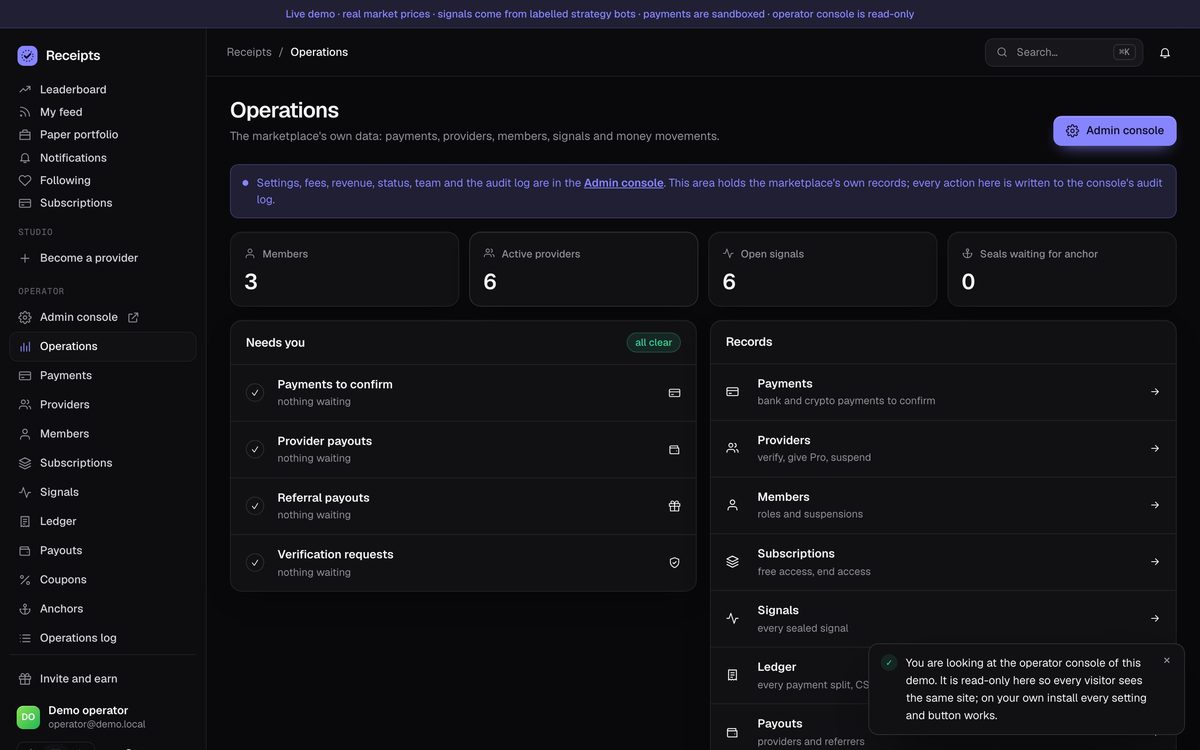
The operator console at /admin is the MIKODES Admin Kit 0.3.0: settings with hard caps, encrypted secrets, team, audit, history and a revenue centre that shows realised money only. The marketplace's own records (payments, providers, members, signals) open inside it. This page follows its sidebar. Screenshots come from the public demo.
| Role | Can do |
|---|---|
owner | Everything, including team, export and import, and the database backup. |
manager | Change settings and act on records (approve payments, verify providers, end access). |
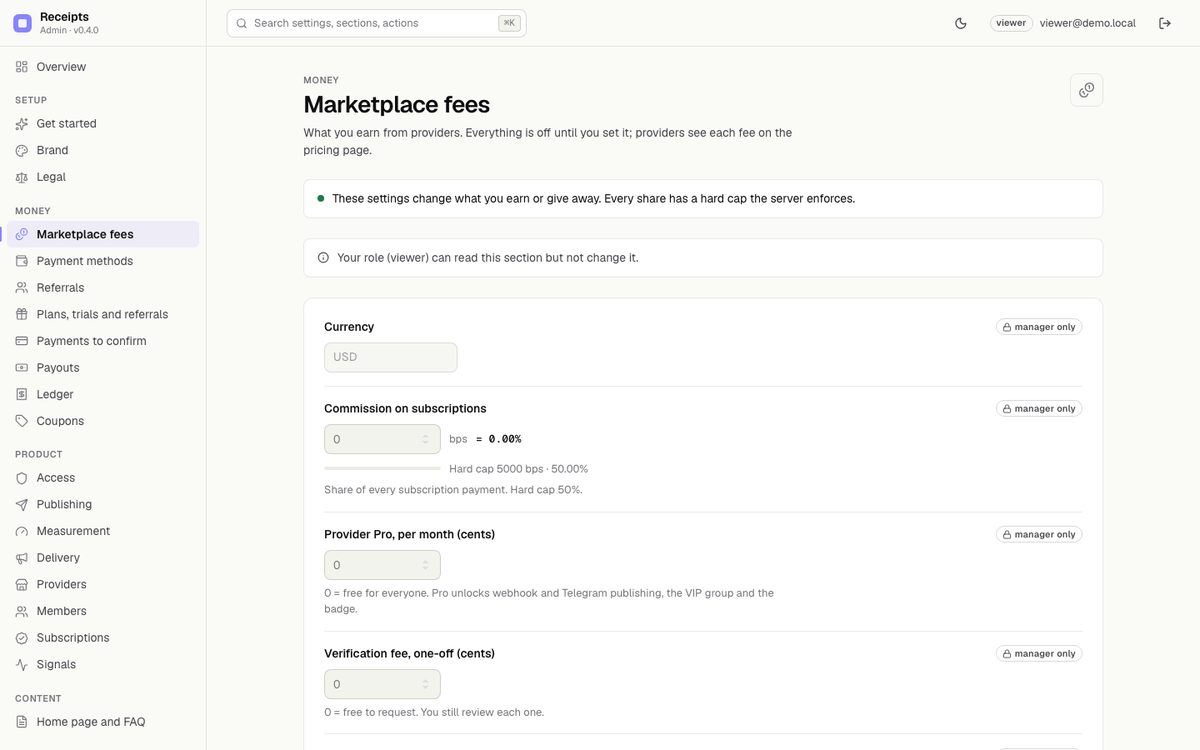
viewer | Read only. Money fields show "manager only". |
The console has its own sign-in (password of at least 12 characters), separate from the site accounts. The first owner is created with the one-time setup code from the log, the same one that claims the site (how). Security & alerts adds TOTP two-factor with recovery codes, "require two-factor" for owners and managers, sessions and "sign out everywhere". Every change is written to the audit log; secrets are write-only and never appear in a response, an export or the log.
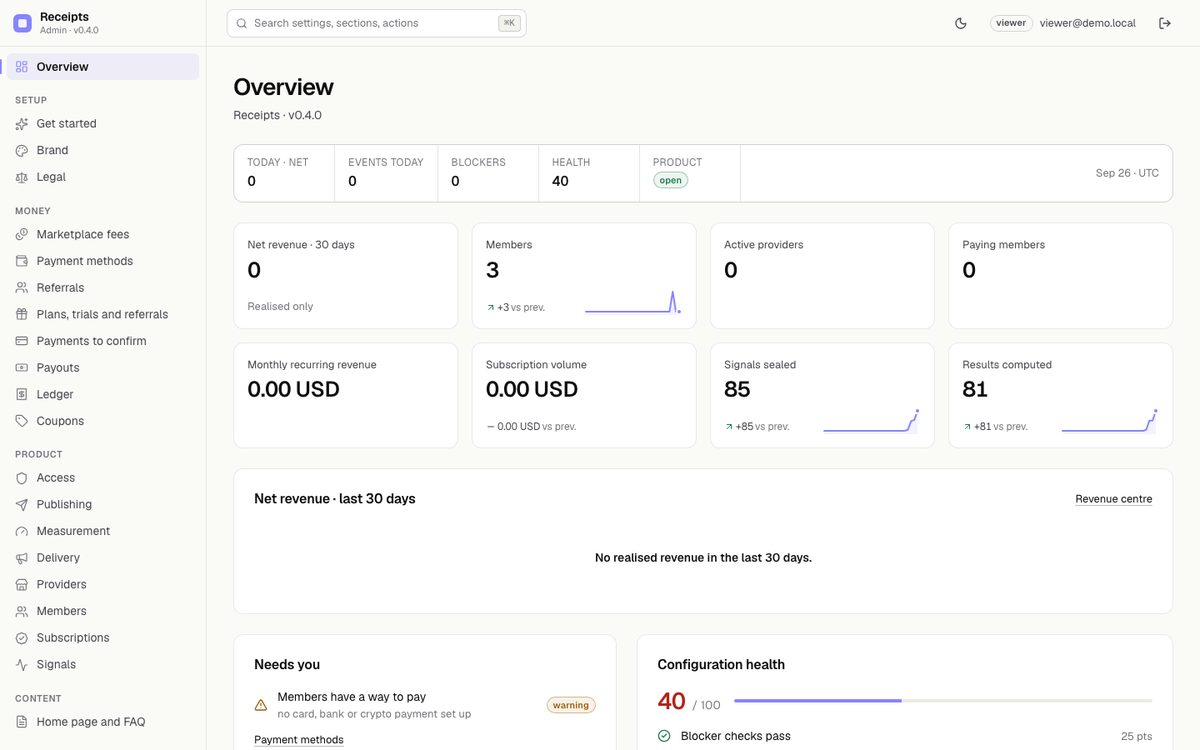
Today's net, events, failing blockers, a configuration health score, KPI tiles (net revenue 30 days, members, active providers, paying members, MRR, subscription volume, signals sealed, results computed), 30 days of net revenue, Needs you and recent activity.
/terms and /privacy; the disclaimer.| Screen | What you set |
|---|---|
| Marketplace fees | Currency (USD, EUR, GBP), commission on subscriptions (hard cap 50 %), Provider Pro per month, verification fee, performance billing switch, provider price range, exchange trade links, sponsored provider slugs. |
| Payment methods | Bank transfer with your instructions; stablecoins to your own wallets (8 networks); extra crypto instructions. |
| Referrals | Referral programme on/off, tier 1 and tier 2 share of your fee, payout threshold, disclosure text. |
| Plans, trials and referrals | Months a referral keeps earning, the longest free trial providers may offer, plan lengths providers may sell (1, 3, 6, 12 months). |
| Payments to confirm | Bank and crypto payments waiting for you: approve, reject, refund. |
| Payouts | Provider and referrer payout requests. Mark paid with a reference after you send the money yourself, or reject. |
| Ledger | Every payment, refund and adjustment with the split. CSV export (owner only). |
| Coupons | Create and switch coupons for bank and crypto payments. |
Details and caps: Earnings.
| Screen | What you set |
|---|---|
| Access | Open sign-up, maintenance mode and message (reading and verifying stay open), announcement banner, blocked countries, the country header (default cf-ipcountry). |
| Publishing | Price sources, default visibility for new providers, open signals per provider (20), signals per 24 h (30), longest expiry (30 days), webhook and Telegram publishing, the embeddable badge, provider approval. |
| Measurement | Reaction window (30 s), venue fee and slippage per side (5 + 5 bps), closed signals and days to rank (30 / 60), shrink k (20), anchor interval (10 minutes, 5–60). Saving recalculates every result, closed ones included. |
| Delivery | Web push, Discord channels, Telegram DMs and VIP group posts, the Telegram footer, the risk notice shown on every page. |
| Providers | Search, verify or unverify, decline a verification request, give 30 days of Pro, suspend or restore. Sealed history is never deleted. |
| Members | Make someone an operator or a member, suspend or restore. |
| Subscriptions | Every subscription with its type (Stripe, bank, crypto, performance, demo, free access). Give free access for 1–365 days; end access now. |
| Signals | Every signal, filtered by status, provider or symbol. Nothing can be edited or deleted here, or anywhere. |
Headline (the last word is set in the accent serif), intro text, search description, and the FAQ shown on the home and pricing pages (blocks separated by a blank line, first line = question; empty = the built-in FAQ).
.env locks the field. Restart after changing them.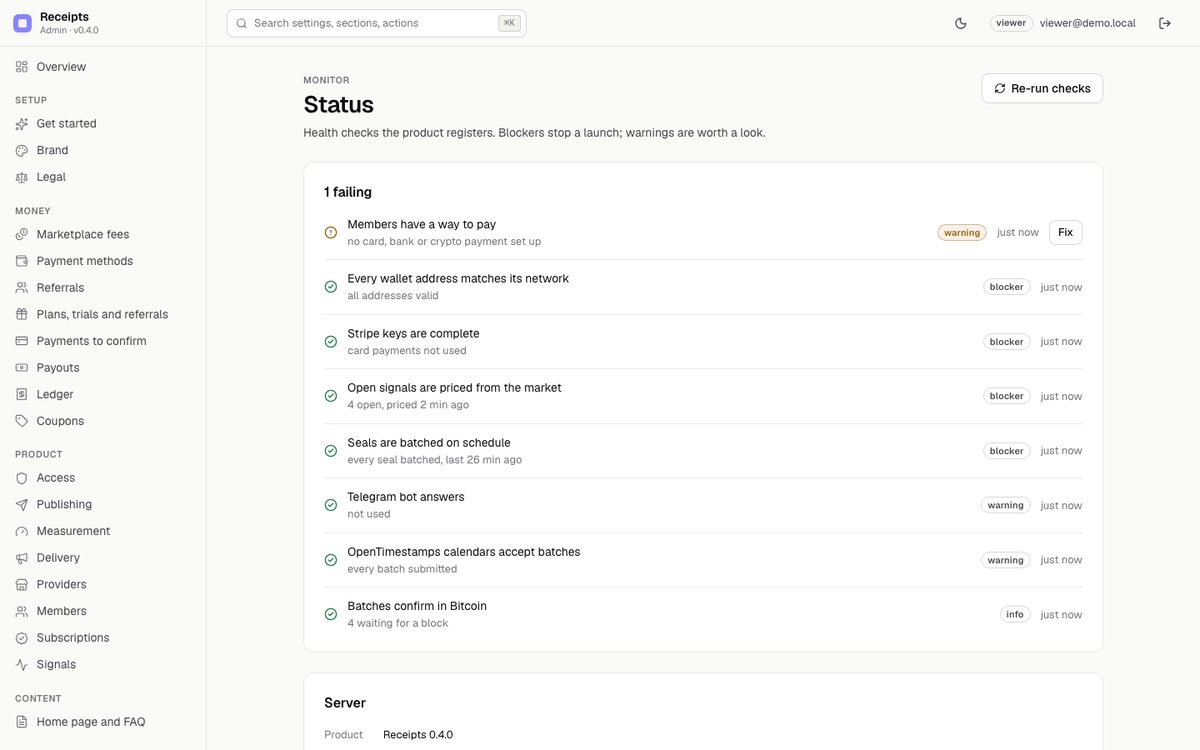
The marketplace records also live at /ops, which the console frames as its product pages. /ops is gated by the console session; writes need a manager. Every action is written to the console audit log as product.*.
Data backup (owner only) downloads a snapshot of the database from the Operations page. For scheduled backups see Deployment → Backups.