
Earnings
every stream starts off.
The ways a Receipts site can earn, where each is switched on, and the caps the code enforces. Nothing charges anyone until you set it.
01Revenue streams
| Stream | Where | Default | Limit in code |
|---|---|---|---|
| Commission on subscriptions | Marketplace fees | 0 (off) | 50 % (5,000 bps) |
| Provider Pro (monthly, providers pay you) | Marketplace fees | 0 = free for everyone | — |
| Verification fee (one-off) | Marketplace fees | 0 = free to request | — |
| Exchange trade links (your referral links) | Marketplace fees | empty (off) | same link on every open signal of that source |
| Sponsored provider row | Marketplace fees | empty (off) | up to 6, labelled, never changes the ranking |
| Performance billing (a billing option for providers, not a fee) | Marketplace fees | off | each provider opts in |
| Referral programme (paid out of your share) | Referrals | off | tier 1 up to 50 %, tier 2 up to 10 % of your fee |
A fresh install earns nothing until you switch a stream on: every value above starts at 0, empty or off (src/services/settings.ts). Every paid stream is shown to providers on the pricing page. Revenue in the console counts realised ledger events only; demo payments never count.
02Commission and provider prices
Providers set a monthly price of 0 (free) or within the range you allow (default 1 to 1,000 in the site's currency). Your commission is split off each subscription payment when it is recorded; your share rounds down, the provider keeps the rounding. A value above 50 % is refused.
How the split works, with made-up numbers: with a commission of 20 % (2,000 bps), a subscription payment of 30.00 is recorded as 6.00 for you and 24.00 for the provider. These are not expected figures; what a site earns depends entirely on its providers and members.
Providers can also sell longer plans (3, 6 or 12 months, if you allow them under Plans, trials and referrals) and a free trial of up to your maximum (default 7 days, at most 30; one trial per member per provider).
Performance billing
Off until you allow it; then each provider may choose it. About a day before each renewal the app compares the provider's cumulative R (closed results plus the current mark of open signals) with that subscriber's high-water mark. If it is not above, the next period is free: Stripe's next charge moves one period later and access continues.
03How members pay
| Method | How it works | Needs |
|---|---|---|
| Card (Stripe) | Stripe Checkout into your Stripe account; renewals by Stripe. | Stripe keys (setup) |
| Bank transfer | The member sees your instructions, the amount and a reference like PAY-123, pays, and enters the reference. You approve it under Payments to confirm. | Payment methods → Bank transfer on, with instructions |
| Stablecoins to your wallet | The member sends USDT or USDC to your address on the chosen network and pastes the transaction hash. You approve it. No third party, no custody. | Payment methods → Stablecoins on, at least one wallet |
| Demo | A labelled checkout that moves no money. | DEMO_MODE=1 only |
Networks: USDT on Tron (TRC-20), USDT and USDC on Ethereum (ERC-20), USDC on Base, USDT on BNB Chain (BEP-20), USDC and USDT on Polygon, USDC on Arbitrum. Each address is checked against its network; a mismatch is a blocker in Status.
Only approval writes to the ledger, through the same split as Stripe. The app never claims a payment it has not been told about. Coupons apply to bank and crypto payments; a coupon that covers the whole price activates access at once.
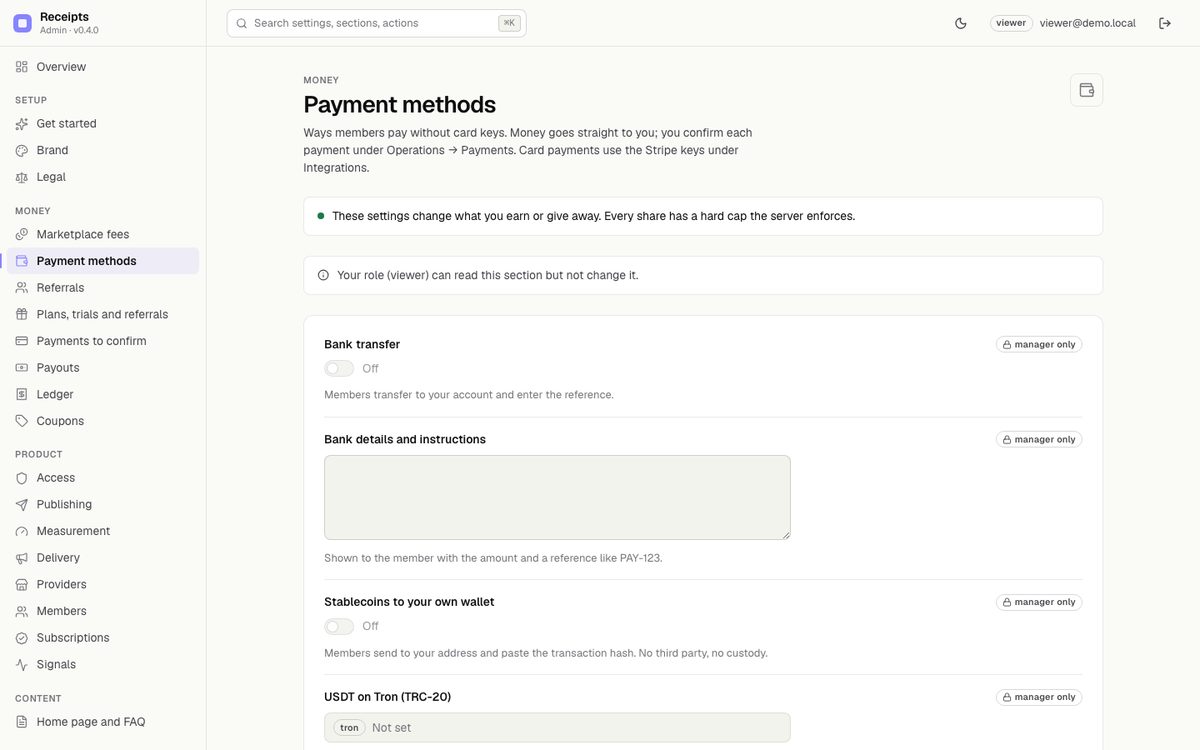
Approving grants access. Check the transfer in your bank or the transaction on a block explorer (right amount, right address, right network) before you press Approve.
04Referrals
Members invite others from Invite and earn (/referrals). A referrer earns a share of your commission on payments made by members they brought in, for a limited number of months (default 12). It never comes out of the provider's share.
- Tier 1 share: up to 50 % of your fee. Tier 2 (whoever referred the referrer): up to 10 %.
- A payout threshold, and a disclosure text shown with referral links.
- Referrers request payouts; you pay them yourself and mark the request paid under Payouts.
- Refunds reverse the referral credit too.
05Paying providers
A provider's balance is their share of real (non-demo) payments minus payouts already requested or paid. They request a payout in Studio → Earnings and payouts with an amount and a destination. You send the money outside the app and mark the request paid with a reference, or reject it with a note. There are no automatic transfers: agree payout terms with your providers.
06Keep it honest
- Trade links appear on every open signal of that source, for every provider equally, marked
rel="sponsored". - The sponsored row is labelled and never changes the order.
- Do not advertise measured results as expected returns. Receipts shows what already happened, under a published method.
- Receipts gives you the mechanisms to charge; it does not promise any income. These docs contain no earnings figures.